A mark that only works for you.
SigWave gives you one small mark, made on your phone. When someone needs to know something about you, they point their phone at it and ask. Your phone answers only what you allow, and they never get a copy of your papers.
What it is
Your mark is a small wavy line with a short code under it. You can show it on a screen or print it on a card, a letter, a label or a badge. Anyone can see it, and that is fine. It is like a house number. Anyone can read it, and reading it gives them nothing. You have one mark for everything. The same one goes on your business card, your letters and the permission slip you sign for your child.
The mark is made on your own phone or computer. When you make it in the app, the secret that makes it yours is made on your phone, inside the part built to keep secrets, and never leaves it. Only your own phone, or another phone or computer you have added yourself, can speak for it. Nobody else can answer with it or sign with it, and that includes the people who make SigWave. If someone copies it onto their own card, the copy just sits there. It cannot answer anything.
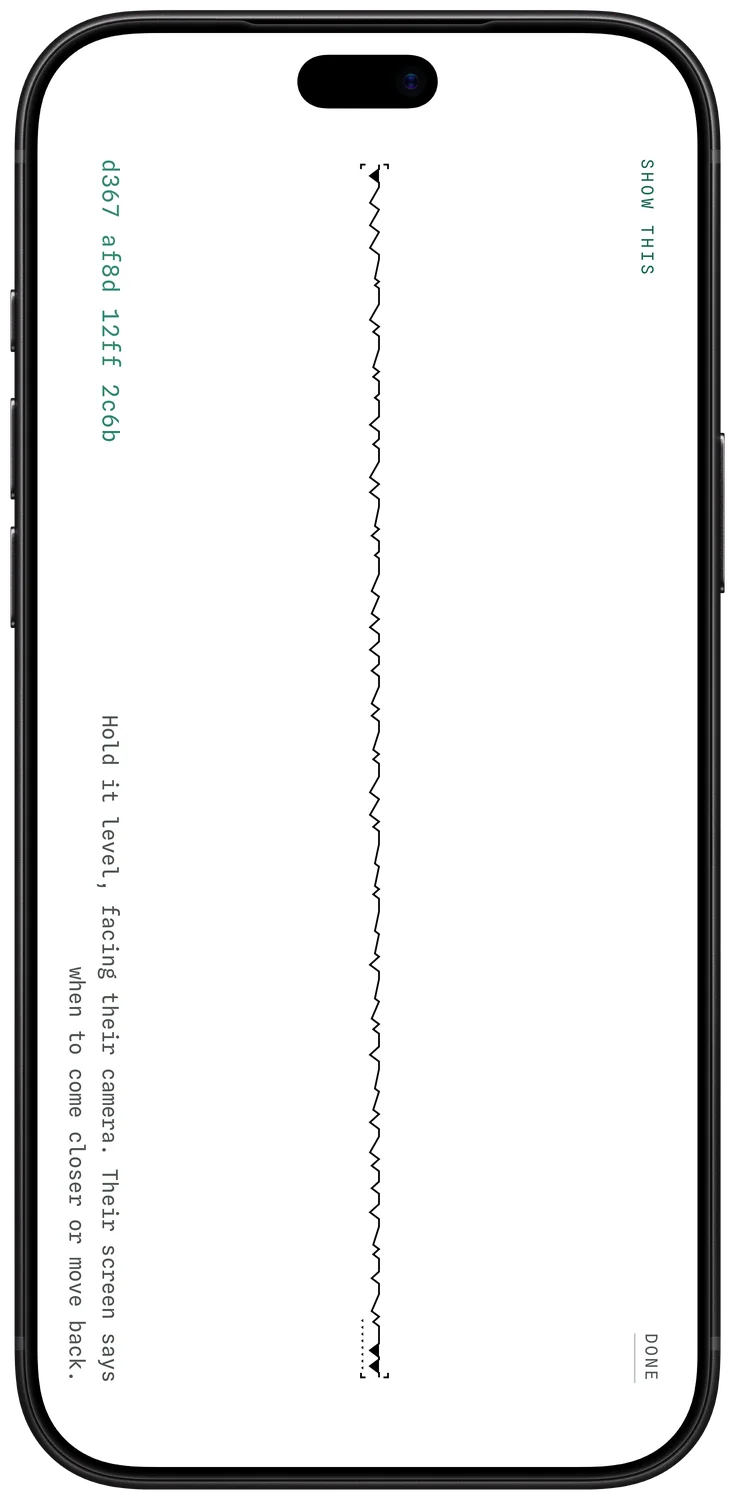
What happens when someone scans it
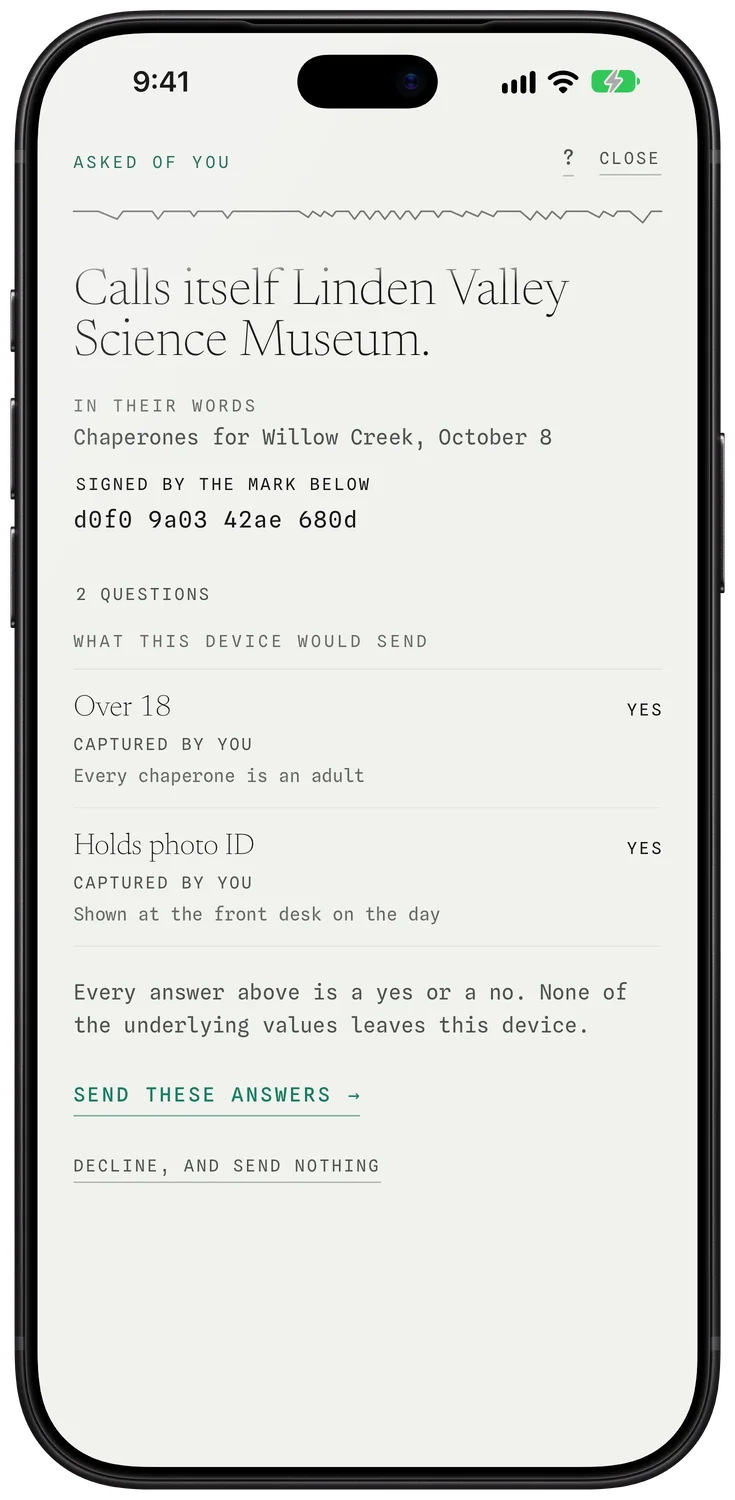
They ask a question. Are you over 18? Do you have a card with your photo on it, like a driver's license? Your phone shows you what the asker calls itself and exactly what they want to know. You tap yes, or no, or you do nothing at all. Your phone asks for Face ID, Touch ID or your Mac's password before anything is signed. That is the same face, fingerprint or password you use to unlock it. It asks once for each question or paper, not once for every answer inside it.
If you say yes, they get the answer and a receipt, and nothing else. A receipt is a short note that says you answered, and when. Only the answer leaves your phone, and only when you send it. What it is based on stays with you. Sometimes a question needs more than yes or no, like your name or a date. Your phone shows it to you first, in amber, so you see exactly what would be sent before it goes. If you do nothing, no answer is sent. If someone keeps asking, you can block them. Your phone stops showing you their questions, and they are never told you did.
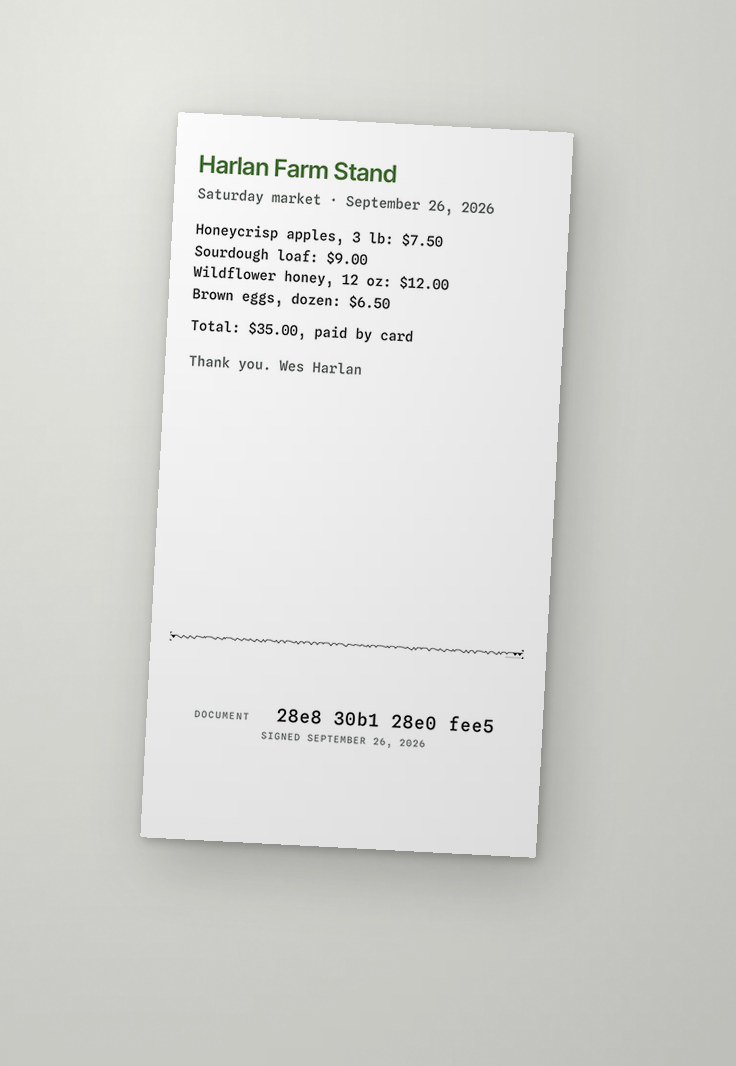
In our test builds you can sign papers the same way. You sign on your phone. It asks you to unlock it first, the same way, and then your mark is put on the page. Later, anyone can hold a phone over the page, with the SigWave app (a small program you add to your phone) or at sigwave.id/scan in a web browser, and see one word: Signed. If someone changed a line after you signed, it says Changed.
What they get, and what they never get
They get the answer to the exact question they asked, and nothing more. They get a receipt that says you answered, so they can show they did their job. You get a receipt too, so you always know what each asker called itself, what it asked, and what you said. Your phone keeps every question asked of you, and every answer you gave, and every paper you signed.
They never get a photo of your license. They never get your birth date when all they asked was whether you are over 18. They never get to keep your papers in a filing cabinet, or on a computer that might be broken into later. What they hold is the answer you gave, a receipt, and only the words you chose to send.
Is it a QR code?
No. A QR code is one of those square barcodes. Anyone who points a phone at it gets sent to the same web page, no matter who they are. Seeing your mark gives nobody anything. It only answers when your own phone says so.
Can someone copy it?
They can copy the picture. It will not do anything for them. Only your own phone, or another phone or computer you have added yourself, can answer for your mark. Nothing goes out until you have unlocked it yourself.
What if I lose my phone?
You can allow more than one of your own machines to answer, such as your phone and your computer. From one you still hold, you can remove the lost one, and it can no longer answer for you. When you make your mark, your phone also makes a recovery kit for you to keep safe: a small saved file and a list of seven words. Getting a mark back from it, after losing every phone and computer, is coming: it is in development, and it does not work yet.
What do they keep about me?
The answer you gave, any word or date you chose to send, and a receipt. Not your papers. The people who run SigWave keep your mark, the list of phones and computers allowed to answer for it and every change to that list (anyone can look these up, and they carry no name), the questions and answers you chose to send, a receipt for each question that says it was asked and answered, without any word or date you sent, any signed paper you chose to make public, and a note of which device to alert when a question arrives, which names a device and not you. Blocks are kept too. Two more columns exist but are not in use yet. One can hold a complaint about a mark: one reason word and the two marks, seen by nobody else. Nobody can write one today. The other is a standing for each mark, worked out from blocks and those complaints. It changes nothing yet. There is no name in our records unless you choose to give one, and no place for a birth date, an address or a document. We do not watch what you do or follow you around the internet.
Does it cost anything?
Making a mark and using it costs you nothing today. Organizations that want to ask questions through SigWave talk to us.
Do I need the app?
To make a mark, no. You can make one on the SigWave website, sigwave.id/me, from any computer or phone. It is still made on your own machine, not ours. A browser can also hold a mark, but it is weaker than the app, and it says so wherever it shows. To answer questions about yourself or to sign a paper, you need the app. To check a signed page, you can use the app, or open sigwave.id/scan in any browser and point the camera at it. The iPhone app is still being tested with a small group. Anyone can download the app for Apple computers from dl.sigwave.id. There is no app for phones that are not made by Apple.
Can a company use it? Can anyone?
Yes to both. A person needs the SigWave app on an iPhone or an Apple computer to answer. The iPhone app is still being tested. Anyone with a phone or computer that can open a website can make a mark or check one. A question arrives as plain words with a yes and a no under it, and answering takes a tap and a look at the phone. A company can have a mark too and print it on its letters and cards. Today, when someone scans a company's mark, their phone says the company “calls itself” that name. Nobody has checked yet that it is true. It is the same for a person's mark. We have drawn up the way to prove a company really is who it says it is, and we are working on it now. It does not run yet.
What can it not do yet?
Most answers today are your own word, tied to your mark. If a gym asks whether you are over 18, the yes comes from you. The office that gave you your license does not yet back up your answer. In our test builds, the iPhone app can read a passport held against the phone, offline, and check the issuing country's signature on it. We are building links to other offices one at a time. So far no government office, school or employer has joined. We have also drawn up a public record of every change to our records, one that anyone can check without trusting us. We would run it ourselves. It is designed today, and none of it is built. It is in development: we are working on it now. More uses are on the way, and we are already working on most of them: paying a store in a way that works for that store only, showing who is calling, asking a prescription bottle a question that your doctor's office answers, and voting or claiming benefits without handing over a file. We have confirmed that every one is technically feasible under our patent-pending design. None of them works in SigWave today. Where it works marks each one as Live, Built in Synap or In development.